

FamilyAlbum app review: the short verdict
You have 400 new baby photos, a grandma who isn't on Instagram, and a group text that keeps losing the good ones. You want one private place for all of it. FamilyAlbum is one of the apps you're probably weighing.
A disclosure before the verdict: this review is published by Momora, which makes a competing family-memory app. Read our take with that in mind. The FamilyAlbum details below come from its own help center and privacy policy, its App Store and Google Play listings, and recent user reviews on both stores.
FamilyAlbum is a strong pick for families who mainly want to share photos and videos privately with invited relatives. Albums are visible only to you and the people you invite, with no public profile. The free version includes unlimited storage and uploads, which is generous. On the App Store it holds a 4.9 rating from about 377,000 ratings.
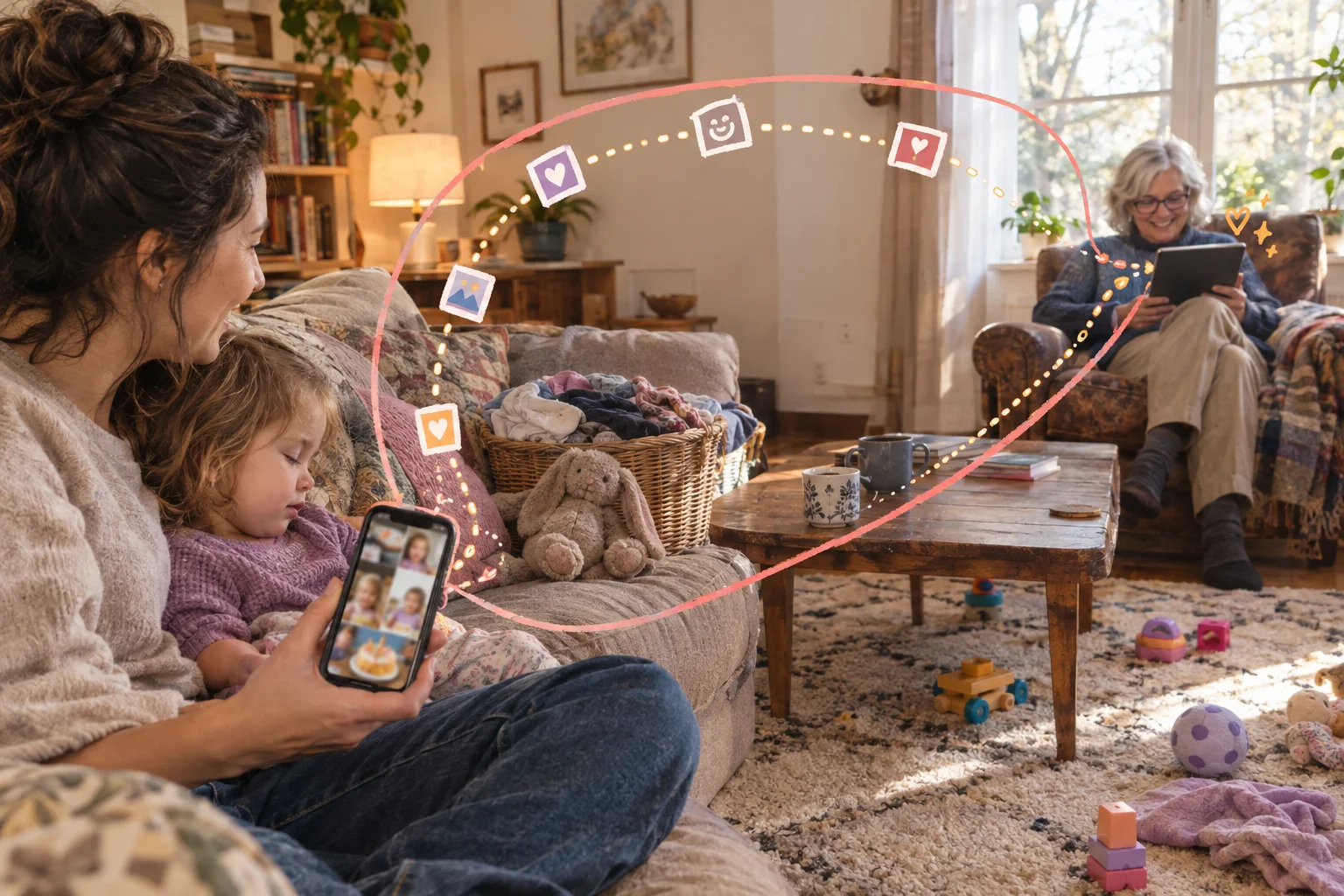
The tradeoffs show up once you use it for longer. Free videos max out at two minutes, and tools like bulk downloads and computer uploads sit behind Premium. Premium removes third-party ads, but FamilyAlbum's own banners stay. Notifications, data controls, and getting your archive back out all deserve a look before you commit years of photos. FamilyAlbum is built for sharing. If you also want the stories, quotes, and context behind each photo, a feed of pictures only covers part of that.
How a FamilyAlbum album works, from setup to Grandma's first comment
Picture two parents with 25 weekend photos and a 40-second video of the baby splashing in the bath. The grandparents live three states away. FamilyAlbum is built for exactly this handoff.
One parent creates the album and becomes an Album Admin. Admins manage invitations, member accounts, visibility, and settings. Everyone else joins as an Album Member with fewer controls. In practice, the person who sets things up is the person who answers "how do I see the pictures?" for the next five years.
To bring in the grandparents, an Admin goes to Settings, then Invite Family, and picks an app invitation or a browser invitation. If Grandpa is sitting next to you, there's a QR code option. He installs the app, taps the QR choice, and scans your screen. An album can hold up to 100 members.
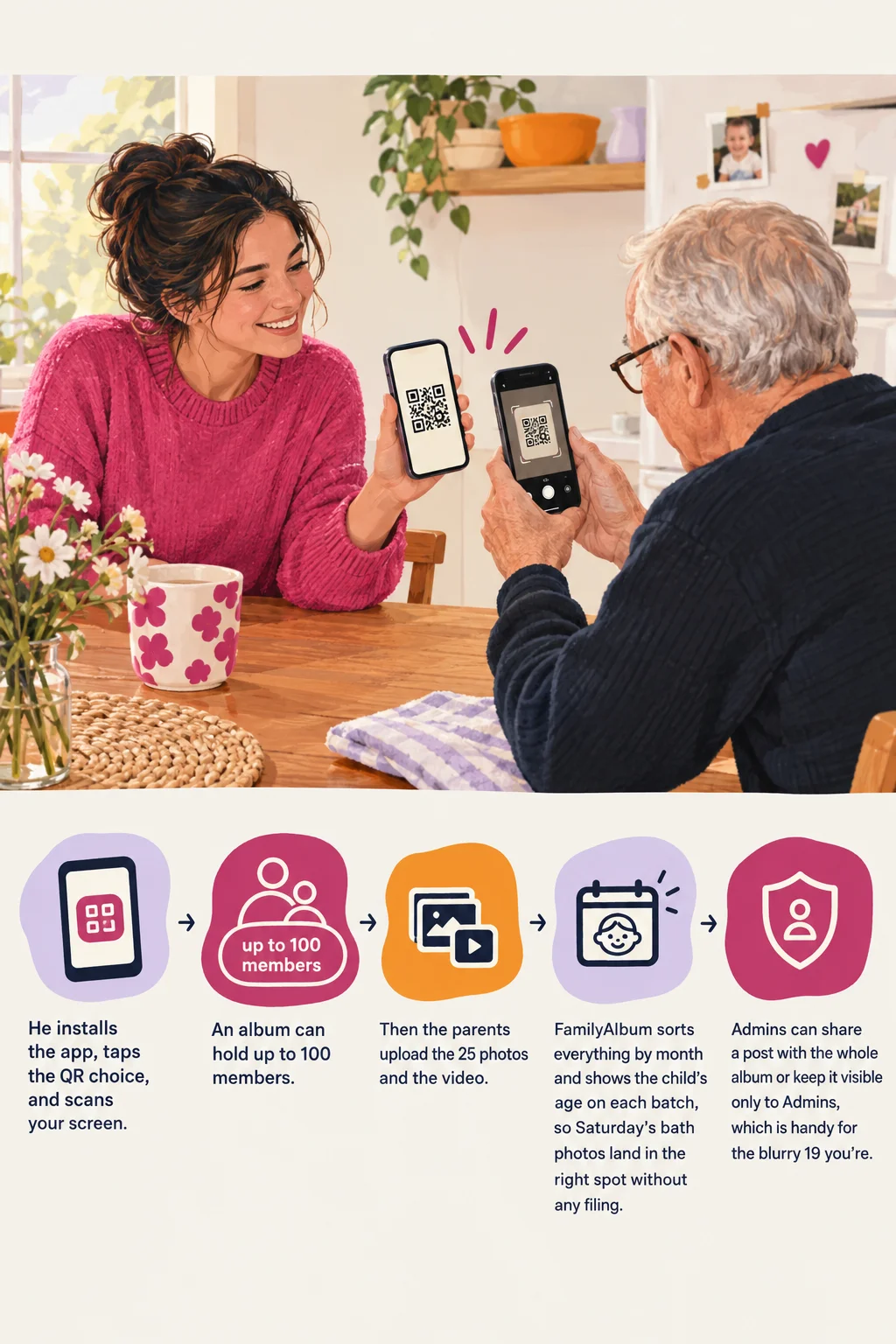
Then the parents upload the 25 photos and the video. FamilyAlbum sorts everything by month and shows the child's age on each batch, so Saturday's bath photos land in the right spot without any filing. Admins can share a post with the whole album or keep it visible only to Admins, which is handy for the blurry 19 you're not ready to show anyone.
The grandparents' options depend on how they joined. App users can comment and react, and they can upload too if an Admin turns that on. Browser users can view, comment, and download but can't upload, and their timeline runs chronologically without the monthly breaks. Admins also decide whether members can comment or download at all.
FamilyAlbum is mainly meant to replace the group text, the email chain, and the shared cloud folder nobody opens. The App Store listing calls it a private "baby photo album for families." It works as a photo feed with comments. It isn't a milestone journal or a designed baby book. Grandma can write "Look at those cheeks!" under a photo, but the app has no dedicated spot for the first word, the doctor's height check, or the story behind the bath splash.
Free vs. Premium: what each FamilyAlbum plan includes
The bath-time family from the last section can do everything they need without paying. The free version gives you unlimited photo and video storage. The two main limits are a two-minute cap on videos and no uploading from a computer. Their 40-second splash video fits easily, and so do all 25 photos.
Premium adds features. It doesn't unlock basic sharing. Here's how the US plans compare, as of March 2026, based on FamilyAlbum's Premium page and help center:
| Free | Premium Family | Premium Family Pro | |
|---|---|---|---|
| Price | $0 | $5.99/month or $59/year | $10.99/month or $109/year |
| Photo and video storage | Unlimited | Unlimited | Unlimited |
| Video length | Up to 2 minutes | Up to 10 minutes | Family features plus higher-quality video |
| Computer uploads | No | Yes | Yes |
| Extra tools | None | Personal Pages organized by child, expanded recap movies, shipping benefits | Family tools plus TV casting, comment search, tags, bulk downloads |
The pricing page also lists a smaller Premium One plan at $2.99 a month. Which features it includes, and whether it shows up for every account, can vary, so check FamilyAlbum's site for current pricing.

Which limits you'll actually run into
The two-minute video cap is the one most families will hit first. Bath clips and first steps fit under it. A full preschool song, a birthday candle sequence, or a grandparent reading a bedtime story often runs longer. On the free plan, you either trim those videos or split them into parts.
The computer upload limit matters if you shoot on a "real" camera or keep years of photos on a laptop. If everything starts on your phone, you may never notice it.
Bulk downloads are the Pro feature to weigh most carefully. Saving one photo at a time is fine for a weekend batch. Saving a whole year that way is a slow evening. Downloads and exports get their own section later in this review.
One subscription covers every member of the album. If one parent pays, the grandparents get the Premium features too, so you only need one subscription per album.
Trial and billing terms
First-time subscribers can get a free trial. The first charge goes through automatically unless you cancel at least 24 hours before the trial ends. If your account has had Premium before, you won't get another trial.
Plans renew automatically. Uninstalling the app or deleting your account does not cancel the subscription. You have to cancel through your app store or the FamilyAlbum web portal. After you cancel, Premium stays active until the end of the period you've already paid for. Don't count on a refund for the remaining time.
What FamilyAlbum does well for busy families
"I just want to post the photos once and have everyone see them." That is the job FamilyAlbum is built for, and it does it well.
1. One private place for every relative. Albums are invite-only and hold up to 100 members. That covers both sets of grandparents, the aunt in Denver, and the cousins. You can also mark a post as visible only to Album Admins, so a blurry 3 a.m. diaper photo can stay between you and your partner. For the bath-time family, it means 25 photos go up once and nobody gets left off a text thread.
2. The timeline organizes itself. Uploads are sorted by month and labeled with your child's age. You don't make folders or type captions. When Grandma asks what the baby looked like at eight months, she scrolls to eight months.
3. Relatives can respond without a group chat. Family members can comment and favorite photos, and the app now includes reactions. Grandpa's "Look at those cheeks" stays attached to the photo it's about, so it doesn't get buried under forty messages about Thanksgiving logistics.
4. Fewer repeat sends, and no public posting. App Store reviewers often say the app replaced sending the same photos to each relative one at a time. Families with long-distance relatives also say it lets them keep up without the photos landing on Instagram or Facebook.
5. The free plan is usable on its own. The free tier includes unlimited storage and periodic compilation videos. A family that mostly shares phone photos can use it for years without paying.
Ratings back up the appeal. As of October 2026, the App Store listing shows 4.9 out of 5 stars from 377K ratings. Treat that as a snapshot. A high average says many families are satisfied today. It can't tell you whether the app will suit how your family shares.
Where FamilyAlbum falls short
"Why did Grandma get one notification for 30 photos?" The app is working as designed. Most of FamilyAlbum's drawbacks are small annoyances. A couple could change whether you pay, or whether it's the right kind of app at all.
1. The free plan caps video at two minutes. Free users can post videos up to two minutes long, and Premium raises that to 10. If you mostly share photos and short clips, you'll rarely hit this. If you film whole recitals or first-birthday songs, this is the limit most likely to push you toward paying.
2. Uploading from a computer costs extra. Computer uploads are a Premium feature. On the free plan, the photos sitting on your laptop or DSLR card have to reach a phone or tablet first. The size limits also change with how you upload. Computer uploads accept images up to 200 MB and videos up to 5 GB, while sharing from iOS tops out at 120 MB for either. HEVC files aren't supported. Files stored in cloud storage or on removable media need to be saved to the device before they'll upload. Phone-only families can skip all of this. Families who shoot on a real camera will keep running into it.
3. Uploads can stall. FamilyAlbum's troubleshooting advice covers the usual steps: get a stable connection, switch between Wi-Fi and mobile data, restart, and update your phone's operating system. That points to the network or the device more than a known bug. Still, plan to wait on the Wi-Fi before posting a big batch from a road trip.

4. Notifications are batched and sometimes skipped. Upload several items within five minutes and relatives get one notification, which can take up to 10 minutes to arrive. If someone opens the post in Recents before the alert goes out, they won't get the alert at all. The batching keeps phones quiet, which is nice. It also means "Did you see the photos?" will sometimes get a puzzled "What photos?"
5. Members have fewer ways to add photos. Album Members can't upload through the browser version. If you want Grandpa contributing his own pictures, he'll need the app.
6. It's a sharing feed, and stories don't have much room. The timeline sorts photos by month and age without any work from you. That's convenient, and it also tilts the app toward pictures. If what you want years from now is your toddler's mispronounced words or the story behind a photo, think about whether a photo feed will hold that context. For grandparent sharing, it hardly matters. For parents hoping to replace the baby book, it's the biggest question in this review.
Items 1 and 6 are the ones that should shape your decision. The rest you can work around.
Who can see your photos, and what FamilyAlbum does with your data
"If I invite Grandma, who else ends up seeing the bath photos?" Short answer: the people you invite, plus whatever those people do next.
FamilyAlbum's privacy works on two levels, and it helps to keep them apart.
1. Who can see the album. Albums are visible only to the uploader and invited members. Strangers can't search for them, and nothing shows up in a public feed. Inside the album, people have one of two roles. Album Admins manage invitations, settings, and permissions. They can also mark a specific upload "Album Admins Only," which hides it from regular members.
Picture inviting both grandmothers. If you make them Members, they see the feed and can comment, but they can't invite anyone else or change settings. If you make them Admins, they can do both of those things, and they can also see anything you hid from Members. Most grandparents only need Member access. Save the Admin role for the other parent.

2. What the company collects and why. The privacy policy treats your uploads as personal information. That covers the image content, comments, favorites, album titles, and EXIF metadata, which can reveal where a photo was taken. FamilyAlbum says it doesn't sell data to third parties. It does process data to run the service, provide support, keep things secure, and market to you. It also tells users to check its retention terms before deleting an account.
The app-store labels list categories like user content, identifiers, contact info, payment data, location, usage, and diagnostics. You can see them on the App Store listing and the Google Play Data Safety page. The developer fills in these labels, and Apple and Google sort data into different categories. The two pages won't match line for line, so read each one as a summary rather than a precise count.
On security, FamilyAlbum says it encrypts data in transit. It also says it protects its servers with firewalls, two-factor authentication, and SSH keys, and gets regular outside security inspections. Media you delete in the app is removed from its servers.
None of that controls what happens on Grandma's phone. Anyone you invite can screenshot a photo, save it, or text it to a cousin. If their phone has no passcode, the album is as private as that phone.
Ask yourself a few things before you upload anything sensitive:
- Does every invited person need Admin access, or will Member do?
- Would you be fine with this photo showing up outside the album?
- Does the photo carry location data you'd rather not share?
- Does everyone you invited lock their phone?
What setup looks like for grandparents and other relatives
"My parents live three states away. Will they actually use this?" Probably, if you choose the right invitation for each of them.
FamilyAlbum gives relatives two ways in. One is the iPhone or Android app, which needs a compatible device. The other is a browser invitation that skips installing anything. Some grandparents install apps without a second thought. Others would rather keep their phone exactly as it is. Ask them which they prefer.
Say you send Grandma a browser invite and Grandpa an app invite. During a normal week, both see your uploads and can comment. Both can save photos and videos. The differences show up after a few days. Grandpa's app groups the feed by month. Grandma's browser view is one long chronological scroll with fewer features. If you share a photo with only some family members, Grandma won't see it at all, because browser members only see content shared with the whole family.
Reactions can cause some confusion. A reaction doesn't trigger notifications the way a comment does, so you might not notice Grandpa's heart unless you open the reactions panel. If he wants you to see something, tell him to leave a comment.
Notifications are the other common snag. If updates stop arriving, someone needs to check both the phone's settings and the in-app settings. That fix can be awkward to walk someone through over the phone.
A few habits make setup easier:
- Send the invite while you're together, or stay on a video call while they accept it.
- Make relatives Members, not Admins.
- Share with the whole family by default, so browser users see everything.
- Ask them to comment instead of react when they want you to know they saw a photo.
What App Store and Google Play reviewers keep saying
"Do real parents like it, or is that just the marketing?" Mostly they like it, with a recurring set of complaints worth knowing before you pay.
The picture below comes from the reviews each store showed in fall 2026. Apple displays a curated set of iPhone reviews, and Google Play shows only a handful of excerpts. Treat these as patterns several people raised independently. They don't tell you how common any experience is.
The praise is consistent. iPhone reviewers describe FamilyAlbum as a private replacement for group texts and social media. Long-distance grandparents come up again and again as the reason families stay. People also mention ease of use, automatic organization, and features that bring back older photos. That last point lines up with the Memories screen added in November 2025.
The complaints cluster around money. Google Play reviewers mention promotional content and notifications pushing paid services, free prints that never arrived or were disputed, and doubts about whether Premium is worth the price. A few say older relatives find the app hard to navigate. The developer replied to one print complaint by offering support, a reprint, or a refund after review. Release notes list photo print fixes in December 2025 and in-app ad fixes in September 2026, so some older complaints may describe earlier versions.
Reactions to privacy are mixed. Users like invite-only sharing. Some Android reviewers worry about AI photo search and broader data handling. In one reply, MIXI said uploaded photos and videos are not given to third parties to train AI models.
The iPhone reviews lean positive and the Google Play excerpts lean negative. With samples this small, that gap tells you little about whether one version of the app is better.

Saving your photos and leaving FamilyAlbum
"If we quit in five years, do we get everything back?" You get your photos and videos back, but it takes some planning.
FamilyAlbum calls it saving. You can save individual photos and videos from the app or the browser, as long as the album's download permissions allow it. Saved files generally keep FamilyAlbum's stored date taken. If no date was stored, the download date becomes the date taken, which can scramble a camera roll.
Saving in bulk is a Premium Family Pro feature in the mobile app, and iPhone bulk saves top out at 100 items at a time. Four years of baby photos means a lot of batches. FamilyAlbum has no one-click digital download of a whole album. The closest thing is a FamilyAlbum DVD. It covers a timespan you choose, includes a viewer that shows comments, and lets you copy off the original files. It's also the only route here that keeps comments alongside the photos.

Leaving means taking several separate steps. Canceling Premium stops renewal but keeps your photos, and the album drops back to the free version. An Album Admin can remove an invited member. Deleting your account happens under Settings, then Inquiries, then Delete Account. Uninstalling the app does none of these things.
Before you build a multi-year archive, save one month of photos and one short video to your phone. Check the dates and the video quality. Keep your originals in a second place, and know how to cancel and delete before you need to. Our photo organization guide explains how a shared album differs from an independent backup.
Which families FamilyAlbum suits best
"Do we pay, stay free, or pick something else?" Most families should start free and decide later.
The free plan fits families who mainly want a private feed for grandparents. It covers comments, favorites, and photo and video storage. If your clips are short and everyone shoots on phones, you may never need more.
Premium makes sense if you regularly film things longer than two minutes, because it allows videos up to ten minutes. It also adds computer uploads, child-specific Personal Pages, and more sharing controls. Bulk saving is a Premium Family Pro feature. As of March 2026, Premium Family was $59 a year in the US App Store.
A different kind of app fits parents who want a personal, book-like record more than a shared feed. It also fits parents who need a portable archive more than a viewing space.
Before you decide, run through these questions:
- Is getting photos to relatives your main goal?
- Will those relatives install an app?
- Are dates and comments enough context, or do you want stories, quotes, and voice notes kept with each photo?
- Are you comfortable with the privacy policy after reading it?
- Do your video lengths fit the free plan?
- Can you live with saving your photos in batches if you leave?
We make Momora. It's a private digital baby book for iOS and Android. You add photos, videos, stories, voice notes, and scanned drawings to a family timeline and tag who was there. Invited relatives can react and comment. It may suit you better if the baby book is the goal and sharing comes second. Check Momora's site for current pricing. For a side-by-side view, read our Tinybeans vs FamilyAlbum vs Momora comparison.
If FamilyAlbum still sounds right, read its current plan table and privacy terms. Then try the free version with one trusted relative for a few weeks before you pay for anything.